

Xcode Doctor: Diagnose fast

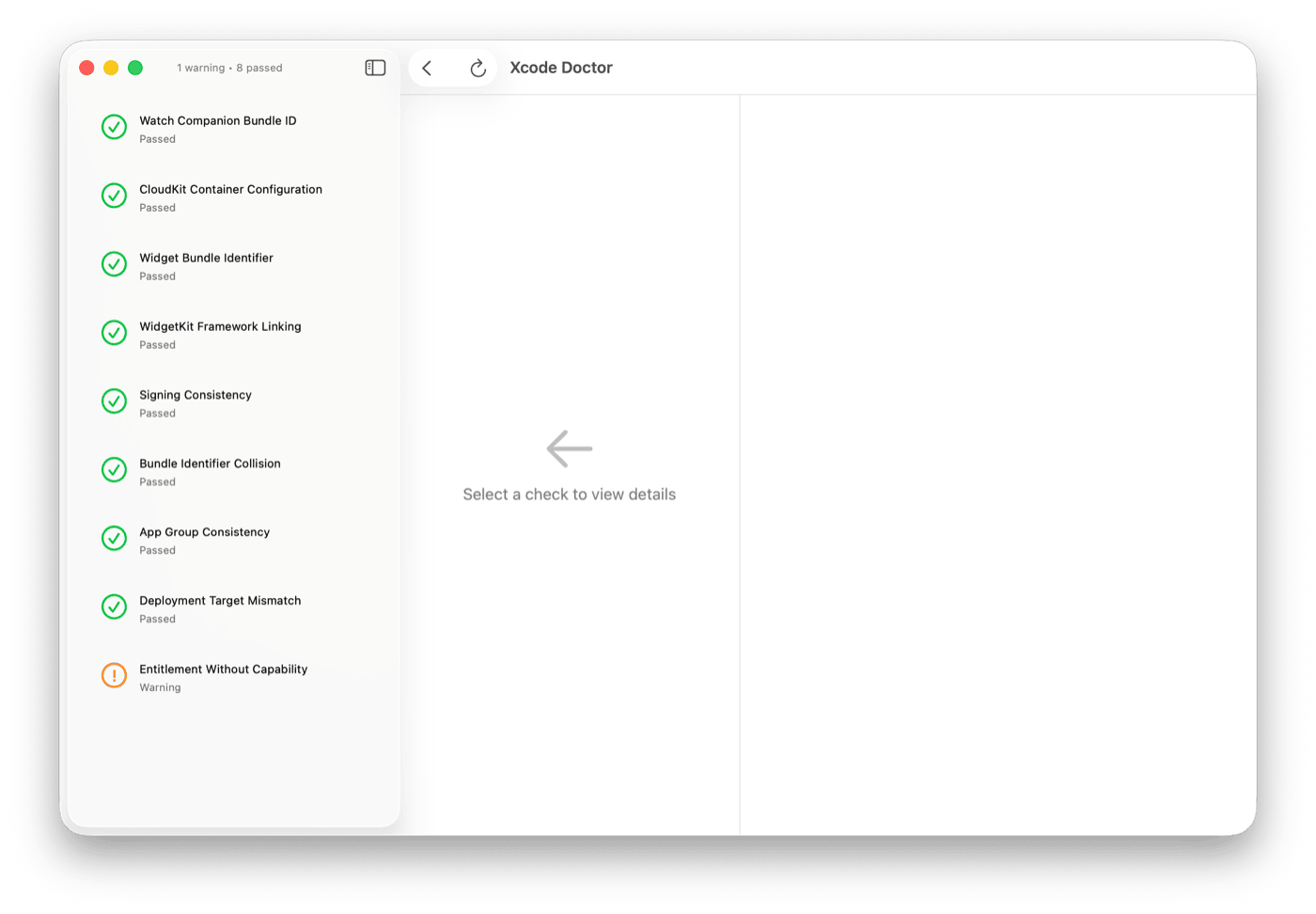
Catch Xcode configuration issues before they cause build failures, signing errors, or App Store rejections. Evidence-based diagnostics in under 2 seconds — built for iOS developers.
Requires macOS 13.0+ · Xcode 14.0+
9 comprehensive project checks
Xcode Doctor scans your project for the most common and costly configuration mistakes — the kind that cause build failures, provisioning errors, and App Store rejections.
Highlights
- Watch companion target mismatches
- CloudKit entitlement and capability validation
- Widget bundle identifier consistency
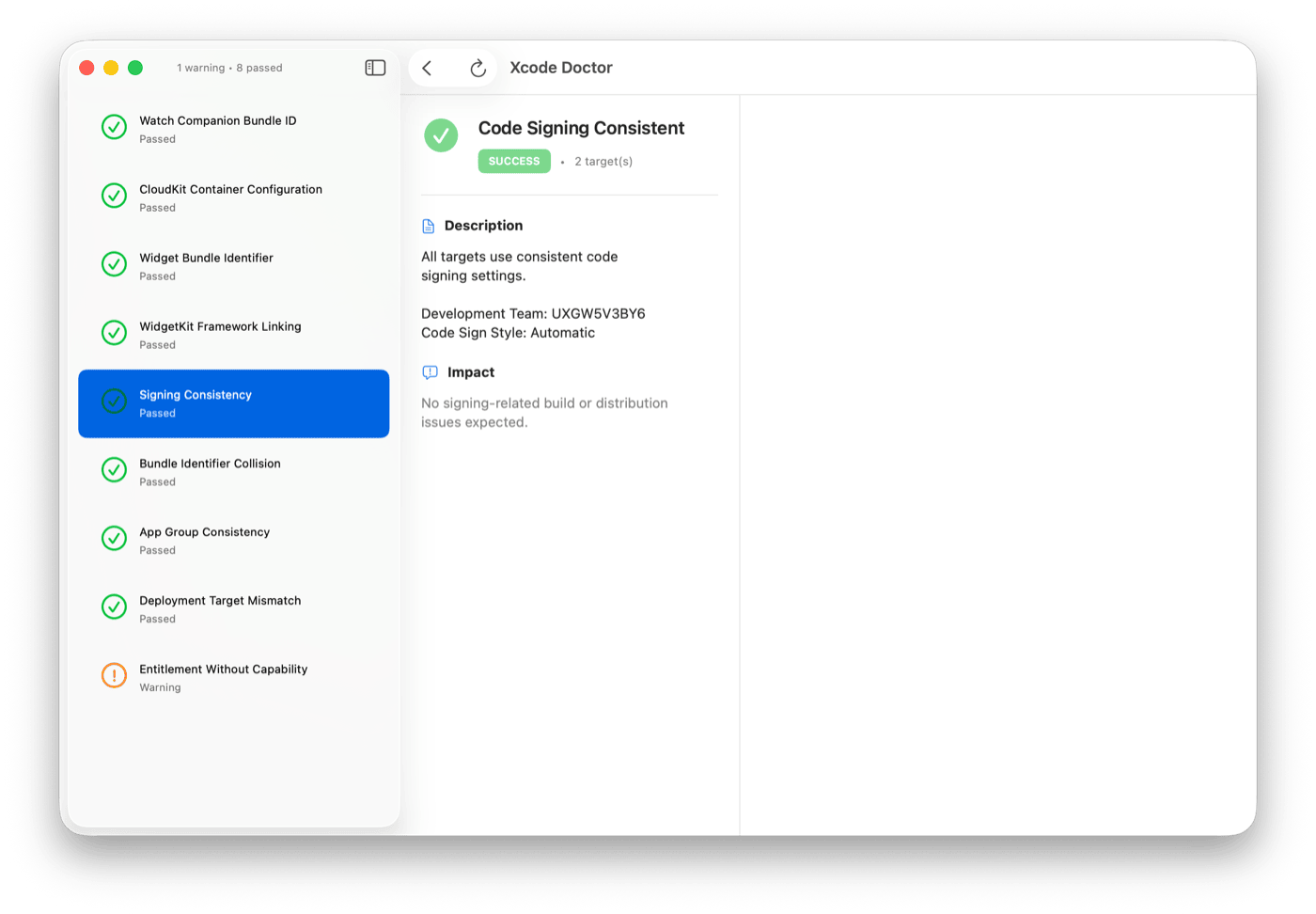
- Code signing and provisioning profile alignment
Evidence-based diagnostics
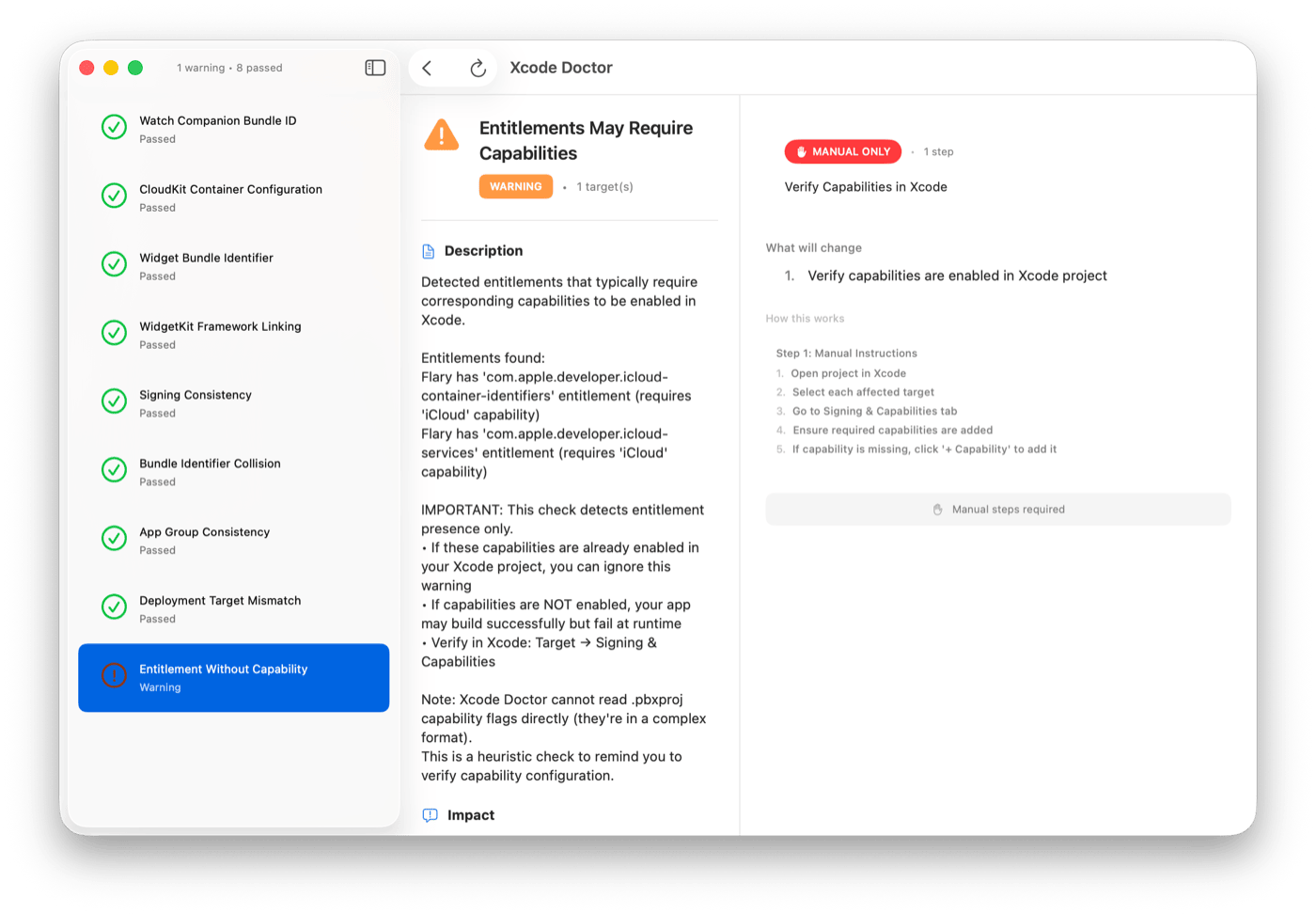
Every issue comes with a clear explanation and actionable fix suggestion. No cryptic errors — just the problem, why it matters, and exactly what to do about it.
Highlights
- Plain-language issue descriptions
- Actionable fix suggestions for every finding
- Evidence links to official Apple documentation
- Severity ratings to prioritize what matters most
Safe, offline, notarized
All scans are completely safe in read-only mode. Fix application requires explicit consent and supports rollback. Runs entirely offline with no network dependencies or telemetry.
Highlights
- Read-only scan mode — zero risk to your project
- Fix mode requires explicit user consent
- Supports rollback for any applied fix
- Apple-notarized, fully offline, no telemetry
Technical specifications.
PLATFORMS
- macOS 13.0 (Ventura) or later
REQUIREMENTS
- Xcode 14.0+
- Apple Silicon or Intel
PRIVACY
- Fully offline
- No network requests
- No telemetry or analytics
DISTRIBUTION
- Free download
- Apple-notarized DMG
- Open source on GitHub
Questions
Frequently asked questions
Does Xcode Doctor modify my project files?
No, not in read-only scan mode. All scans are completely safe. Fix application requires explicit user consent and supports rollback.
Does Xcode Doctor require internet connectivity?
No. Xcode Doctor works entirely offline with no network dependencies, cloud services, or telemetry.
What issues can Xcode Doctor detect?
Xcode Doctor performs 9 comprehensive checks including Watch companion mismatches, CloudKit configuration, Widget bundle identifiers, code signing consistency, deployment target alignment, and more.
How Xcode Doctor was built
Technical notes behind the app.
The product pages show what shipped. These guides and case studies document the architecture patterns, privacy decisions, and SwiftUI implementation details behind apps like Xcode Doctor.
Diagnose your Xcode project in 2 seconds
Free download. Notarized. Offline. Run Xcode Doctor before your next build and catch configuration issues before they become submission blockers.
Download for macOS (Free)Free · macOS 13.0+ · Also available on GitHub